Company website
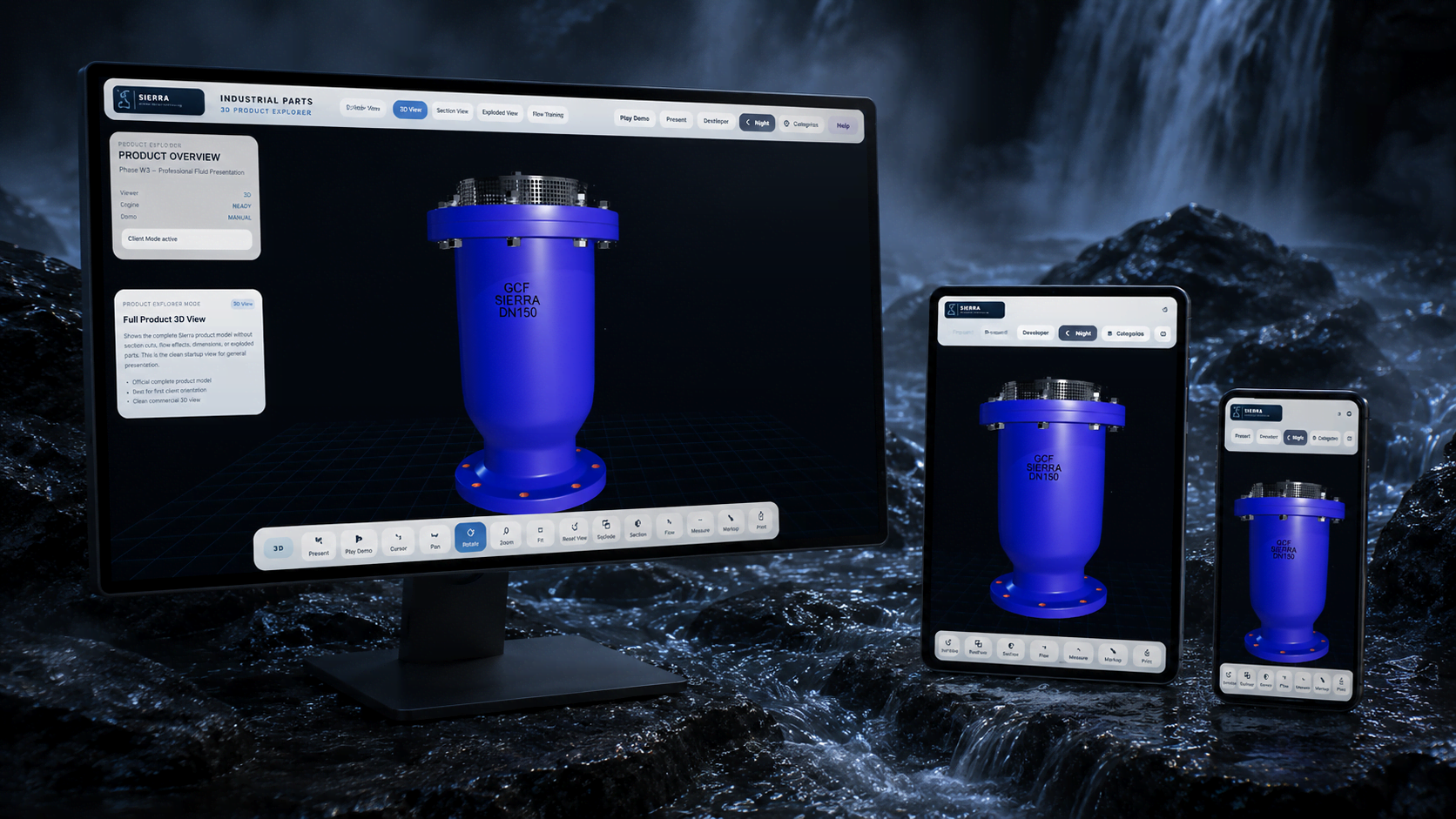
Embed a guided interactive product experience directly into a web journey.
Where this can work
Sierra is one real product case. The same custom-development approach can be adapted to the way another company sells, demonstrates, exhibits, or trains around its own products.
Embed a guided interactive product experience directly into a web journey.
Use a large display or touchscreen to let visitors explore products without relying on a static presentation.
Connect physical products with deeper 3D, technical, and catalogue information.
Give salespeople a guided tool for customer meetings, distributor presentations, and remote demos.
Explain sections, components, flow, assembly, dimensions, and operating concepts visually.
Project overview
Instead of asking customers or sales teams to interpret static pages, the application connects the real product, 3D interaction, catalogue information, technical explanation, and guided presentation in one place.
The same custom application can support a company website, exhibition touchscreen, showroom display, customer meeting, remote demonstration, distributor presentation, or technical training session.
The application is built around the company’s own product, interface needs, interaction logic, and approved information rather than forcing the project into a generic viewer template.
What we built
Interface, product logic, 3D interaction modes, technical views, catalogue content, and training flow were designed as one custom application around the company’s actual product and use case.
Rotate, zoom, pan, reset, fit view, and inspect the product in a browser-based viewer.
Animated separation of the product assembly to explain components, standards, and material callouts.
Cutaway and flow views help explain internal operation, section behavior, and product function.
Official catalogue pages become guided modules such as overview, design features, dimensions, materials, flow performance, and anti-surge explanation.
Presentation tools support present mode, cursor, pan, rotate, zoom, explode, section, flow, measure, markup, screenshot, print, and reset actions.
The same framework can expand from one product into a product family, distributor training library, or exhibition presentation platform.
Feature highlights
Each card shows a real application mode, from product inspection to technical training, dimensions, notes, and dashboard control.
A clean presentation state for rotating, zooming, and explaining the product in its default interactive mode.
A richer explanation layer combines technical overview cards, design features, use cases, and animated flow motion inside the section view.
The product opens into an exploded arrangement so teams can show structure, order, and part relationships clearly.
The section scene combines cutaway geometry with a guided flow card that explains air entrance, discharge, and anti-surge behavior.
Measured references are displayed directly on the 3D model, with the available model dimensions and measurement table prepared for sales and technical review.
Click the 3D model to place a numbered note, helping teams capture review comments, product observations, and presentation points directly on the model.
A complete product-viewer dashboard brings categories, technical information, quick actions, and 3D navigation into one sales-ready interface.
Business value
The value goes beyond one product demo: the same application can support web product discovery, sales meetings, exhibition engagement, showroom explanation, distributor presentations, and technical training.
Sales teams get a guided tool for customer meetings, remote demonstrations, distributor presentations, and product comparisons.
A company website can move beyond static images and PDFs by letting visitors inspect, understand, and navigate the product interactively.
Touchscreens and large displays can turn the application into a self-guided or salesperson-led product experience for visitors.
Sections, components, flow, dimensions, notes, and assembly views make complex product knowledge easier to explain repeatedly and consistently.
The framework can grow from one product into a product family, customer-facing library, exhibition platform, or internal training system.
We study the official material, product model, sections, charts, and the sales/training objective.
We prepare GLB models, markers, product states, catalogue modules, and interface paths.
We connect callouts, section views, exploded animation, flow overlays, and training cards to the product model.
After company review, the application can be prepared for a website, private sales link, exhibition display, showroom station, or internal training environment.
Custom application scope
This page demonstrates a custom application-development capability through a real Sierra product case. It is not an official public technical catalogue; company-approved wording, values, and technical descriptions should be validated before public deployment.
Build a custom interactive application
Tell us what you sell, explain, demonstrate, or train. We can shape a custom experience for your website, exhibition, showroom, sales team, distributor network, or internal training.