Browser-based product apps that help sales teams, distributors, and customers explore a product through a clear presentation path.
← Services
Guided product app
Interactive Sales & Training Applications
Browser-based product applications for sales teams, distributors, showrooms, exhibitions, and technical training.
What this service does
A clear visual path for one specific product need.
Static catalogue pages can become sections such as overview, features, materials, dimensions, exploded view, section view, and training notes.
The same structure can start with one product and later expand into a full product library for sales, exhibitions, and training.
Application proof
See how this service becomes a real product application.
Sierra is one implemented example. The same service can be adapted to other products, catalogues, sales teams, exhibitions, and training needs.
Featured application example
01Industrial sales & training application
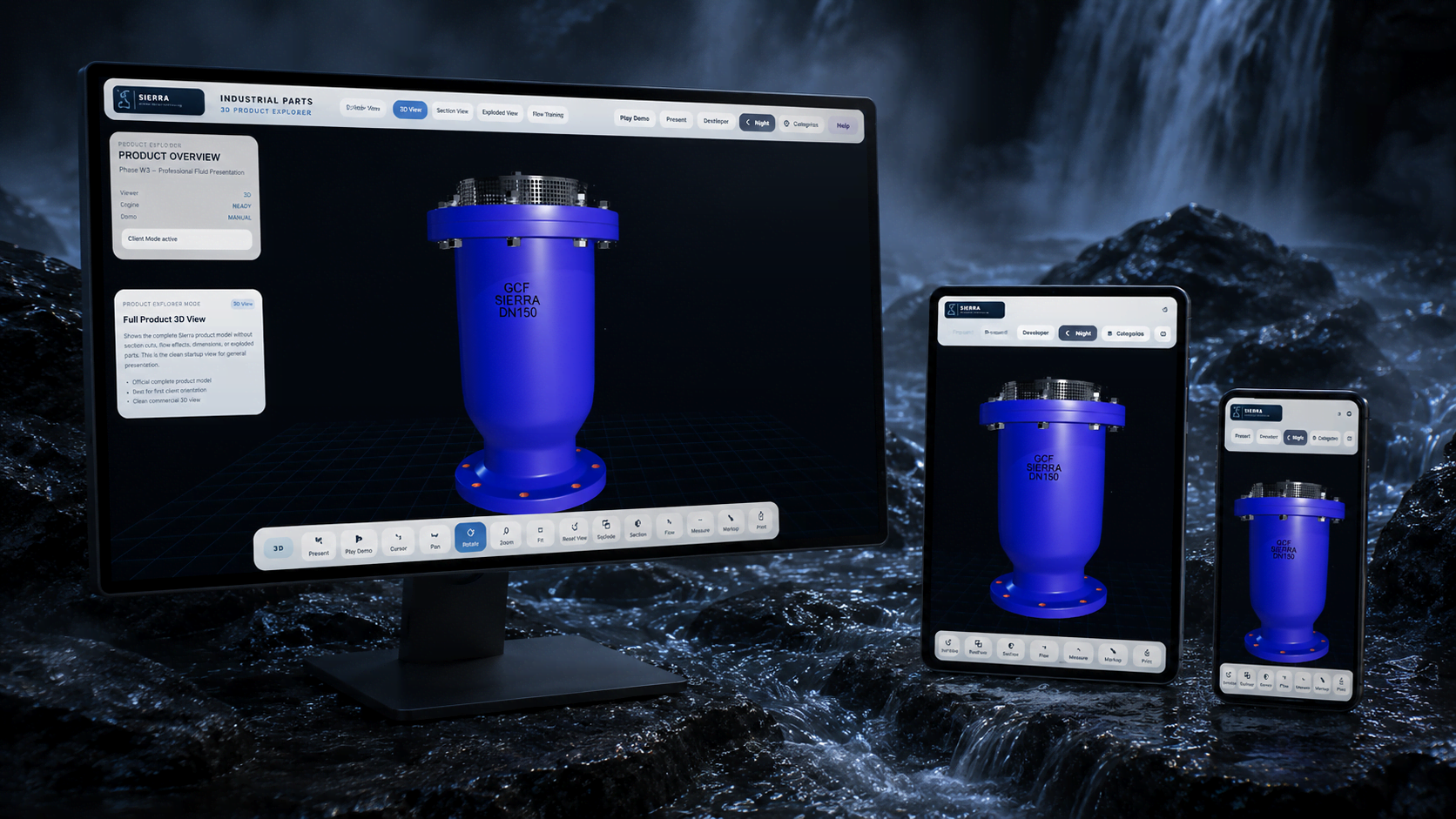
Sierra Interactive Product Explorer
A catalogue-driven 3D product application for an industrial valve, combining a clean viewer, exploded and section modes, material callouts, technical dimensions, flow explanation, markup notes, and distributor training inside one guided presentation system.
Built application modes
3D inspection and guided presentationExploded, section, flow, and dimensionsCatalogue-based technical modulesSales and distributor training
What you receive
Outputs prepared for real sales, training, and presentation use.
A browser-based presentation prototype with navigation, sections, UI states, and product logic.
3D view, exploded view, section view, product features, catalogue modules, materials, dimensions, or training flows when needed.
A private or public demo route that can be used for sales meetings, internal review, distributor sessions, or exhibitions.
Inputs we need
The better the source files, the stronger the system.
CAD, GLB, product photos, official catalogue pages, dimensions, material tables, and product logic.
Who will use the app, what they need to explain, and the order they should follow during a meeting or training session.
Private demo, public microsite, offline show version, tablet presentation, or exhibition screen mode.
How we build it
From product information to a usable visual system.
Map the product story
We study the catalogue, technical data, product model, audience, and the sales or training scenario.
Design the app structure
We define sections, navigation, modes, interface zones, module order, and demo flow.
Build interactive modules
We connect visuals, 3D views, callouts, catalogue cards, animations, and presentation screens.
Prepare the demo route
You receive a private or public demo build ready for review, sales meetings, training, or exhibitions.
FAQ
Questions clients usually ask before starting.
Is this the same as a WebGL viewer?
No. A WebGL viewer is one module. A sales and training application can include a viewer, catalogue modules, sections, training cards, modes, and demo flow.
Can it be private?
Yes. Product prototypes, unreleased concepts, and technical data can be shown behind a private demo route or shared only with approved viewers.
Can one app include multiple products?
Yes. It can start with one product and later become a library with categories, search, filters, and product modules.
Ready to shape it?